Felu Panel 3.1: A New Era for Your Management Experience
Felu Panel 3.1 is the biggest release in the history of our admin panel. This version is not an incremental update: the entire panel has been rebuilt from the ground up, and the result is an experience that is dramatically faster, lighter, and more reliable in every workflow. While the interface will feel instantly familiar, nearly everything beneath it, and a great deal on the surface, is new. Below are the highlights that matter most in your day-to-day work.
1. A Faster, Lighter Panel Across the Board
Every screen in Felu Panel 3.1 loads and responds noticeably faster. Pages open instantly, lists render without delay, and heavy operations no longer slow the interface down. The panel now works hand-in-hand with the underlying system rather than on top of it, which means fewer loading states, smoother transitions, and rock-solid compatibility with the tools you already use. You will feel the difference from the very first click.
2. A Completely Redesigned Dashboard
The dashboard has been reimagined as a true command center for your business. At the top, live stat cards give you an at-a-glance overview of your store and content, such as orders, products, pages, and more, each with a one-tap shortcut to jump straight into that area or create a new item instantly via the quick-add button. The Orders card now includes a live mini-chart, so you can see your recent order momentum the moment you log in.
The new dashboard also keeps an eye on your store for you. When product stock starts running low, a dedicated alert card lists the affected products with their images and stock levels, and lets you act on them directly from the dashboard. A built-in personal to-do list helps you track your daily tasks without leaving the panel, contextual tips guide you toward useful actions, and an updates feed keeps you informed about what’s new in Felu, all in one calm, organized view.
3. Global Search: Find Anything, Instantly
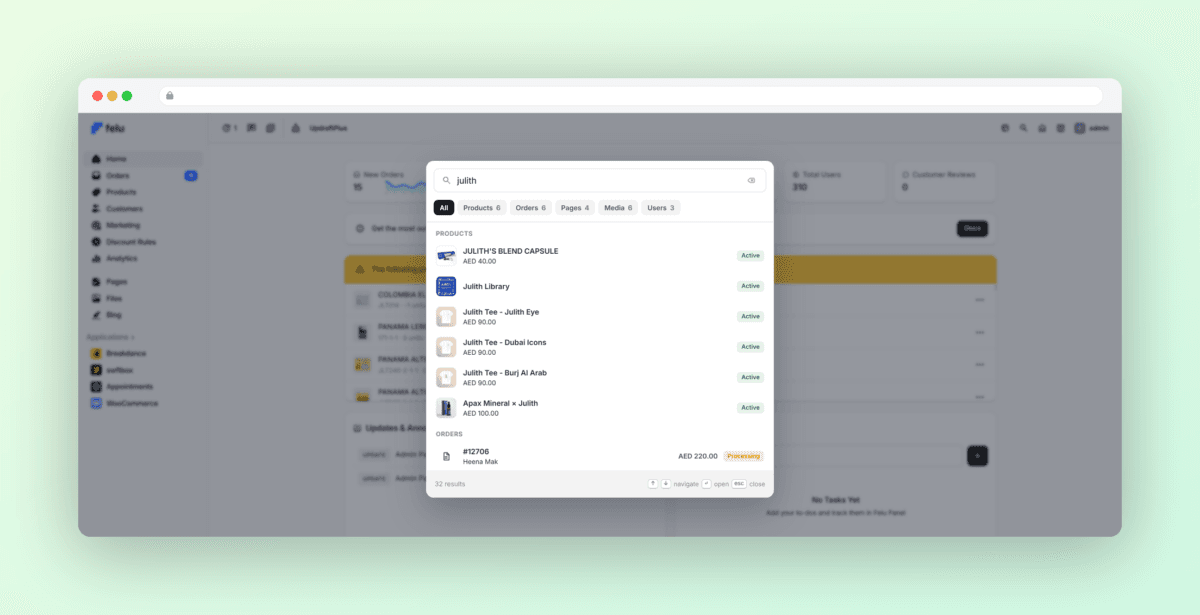
Felu Panel 3.1 introduces a powerful global search that puts your entire site one keystroke away. Open the search from anywhere in the panel and start typing. Results appear instantly, neatly grouped by type: navigation, settings, store settings, products, orders, campaigns, pages, posts, media, and users. Whether you need to jump to a settings screen, open a specific order, or find a customer, you no longer need to remember where anything lives. Just search, and go. Results are always tailored to your own permissions, so every team member sees exactly what is relevant to them.
4. A More Secure Login, Built Around Two-Factor Authentication
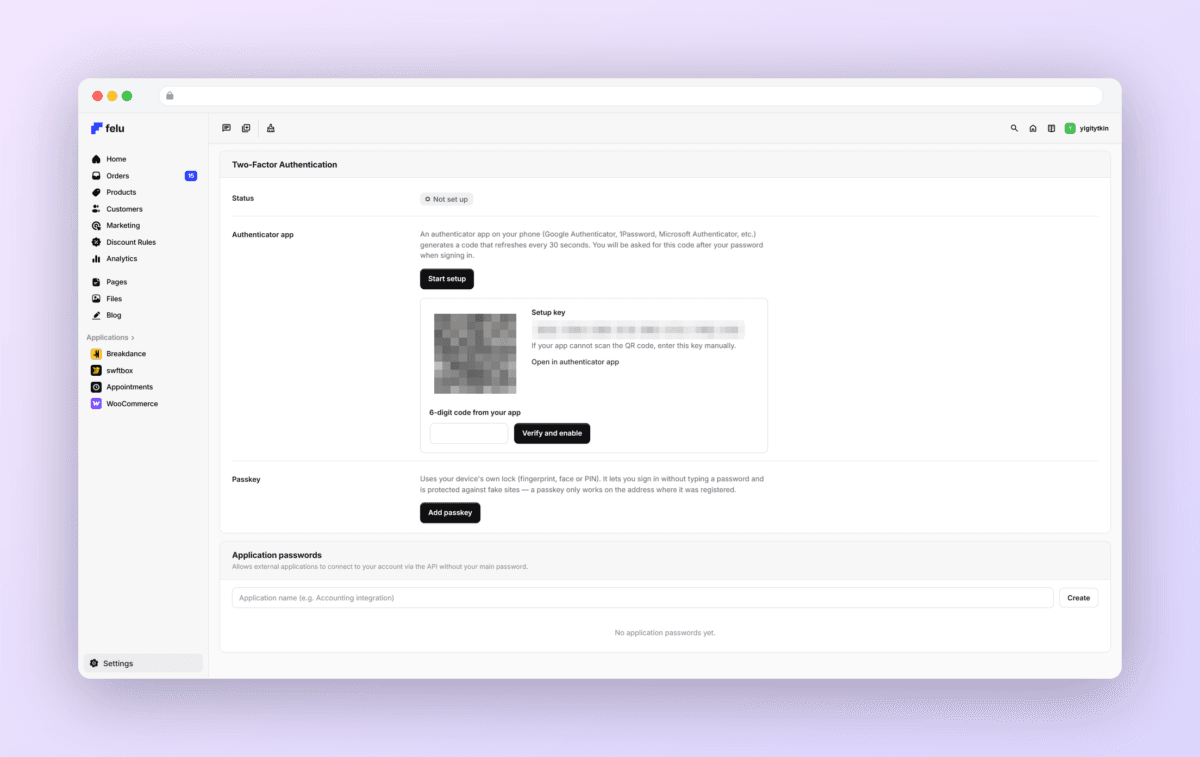
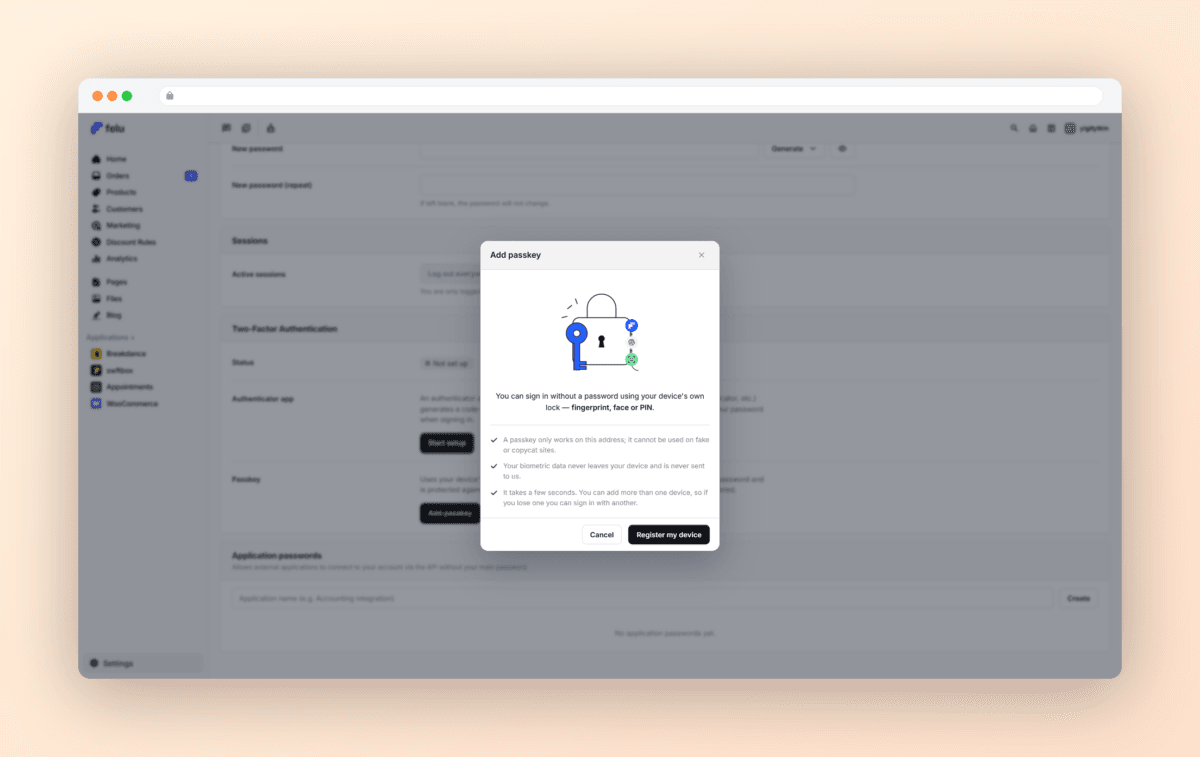
Protecting your store starts with protecting your account, and the entire sign-in flow in Felu Panel 3.1 has been rebuilt with security at its core. The login screen, along with password reset and recovery, has been completely redesigned, and behind it now stands full two-factor authentication for every member of your management team, no extra plugins required. You can secure your account in the way that suits you best:
Authenticator apps. Pair your account with any standard authenticator app (Google Authenticator, 1Password, Authy, and others) by scanning a QR code, and confirm each login with a six-digit code.
Passkeys. Sign in with Face ID, Touch ID, Windows Hello, or a hardware security key. Passkeys are the modern, phishing-resistant way to verify your identity: fast, seamless, and exceptionally secure.
Backup codes. A set of one-time recovery codes ensures you are never locked out, even if you lose access to your phone or security key.
Setup takes less than a minute from your profile, and the panel gently guides your team members through enabling it. Once active, every login is verified in a second step, keeping your store safe without slowing you down.
5. Order Statistics, Now More Complete
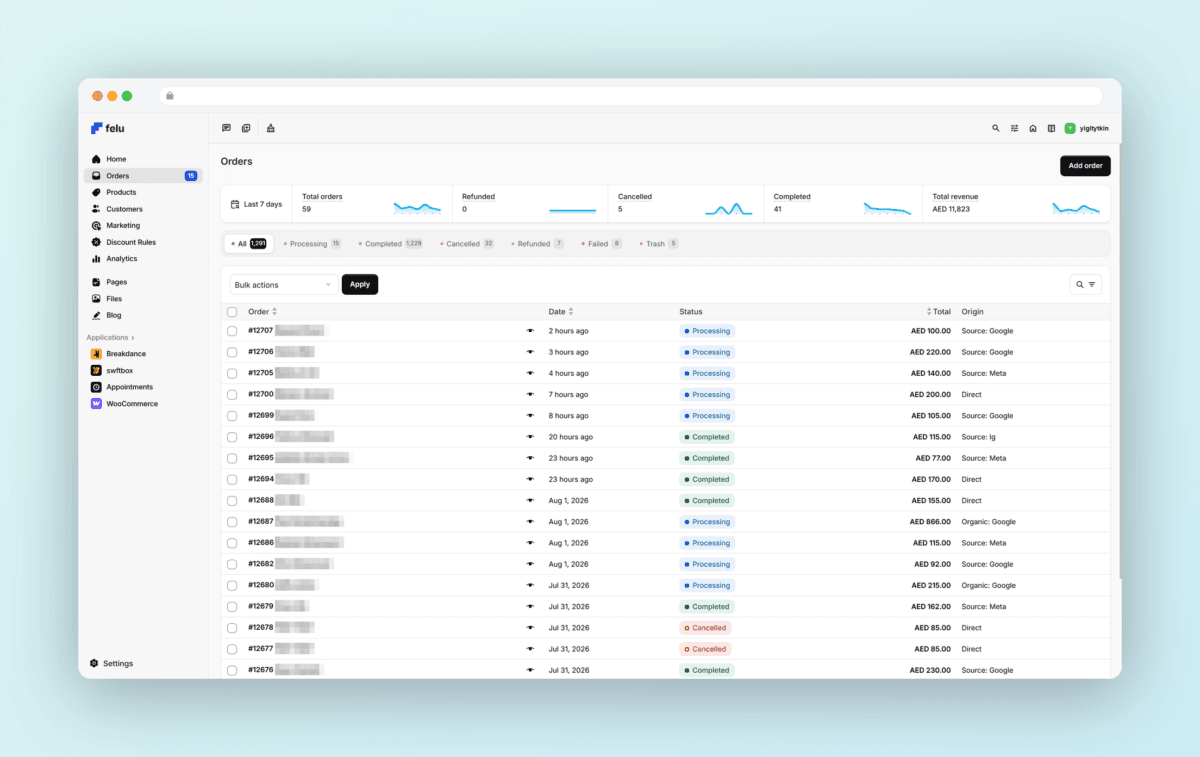
The live statistics bar above your order list, a favorite from previous versions, has been improved in 3.1. Alongside total orders, completed orders, and refunds, the bar now also tracks cancelled orders and your total revenue, giving you a complete picture of your store’s activity and earnings at a glance. As before, every figure is displayed with an elegant trend chart and automatically follows whichever date filter you have active, so reviewing last month’s performance or checking today’s numbers never requires a separate analytics screen. The bar remains built for speed and stays fast even on stores with very high order volumes.
6. Modern Screens: Customers, Profiles & Users
Some of the most-used screens in the panel have been rebuilt on Felu’s new modern engine. Your customer records now have a home that matches the rest of the panel. The redesigned Customers screen presents your customer base in a clean, fast list with the same familiar tools you use everywhere else: search, filters, sortable columns, and quick row actions. Finding a customer, reviewing their details, and jumping to their orders is now a seamless, consistent experience.
Profile and user management received the same treatment. The redesigned profile and user screens organize everything into clear, focused sections: identity, contact details, password, and two-factor security. Adding a new user follows the same clean flow. Fields added by your other tools are preserved and neatly organized, so nothing you rely on is lost. It simply looks better and works faster.
And this is only the beginning: over time, more core WooCommerce pages will be rewritten with this modern engine, bringing the same speed, clarity, and consistency to every corner of your store management.
7. Smarter Lists Everywhere: Search & Filter, Reinvented
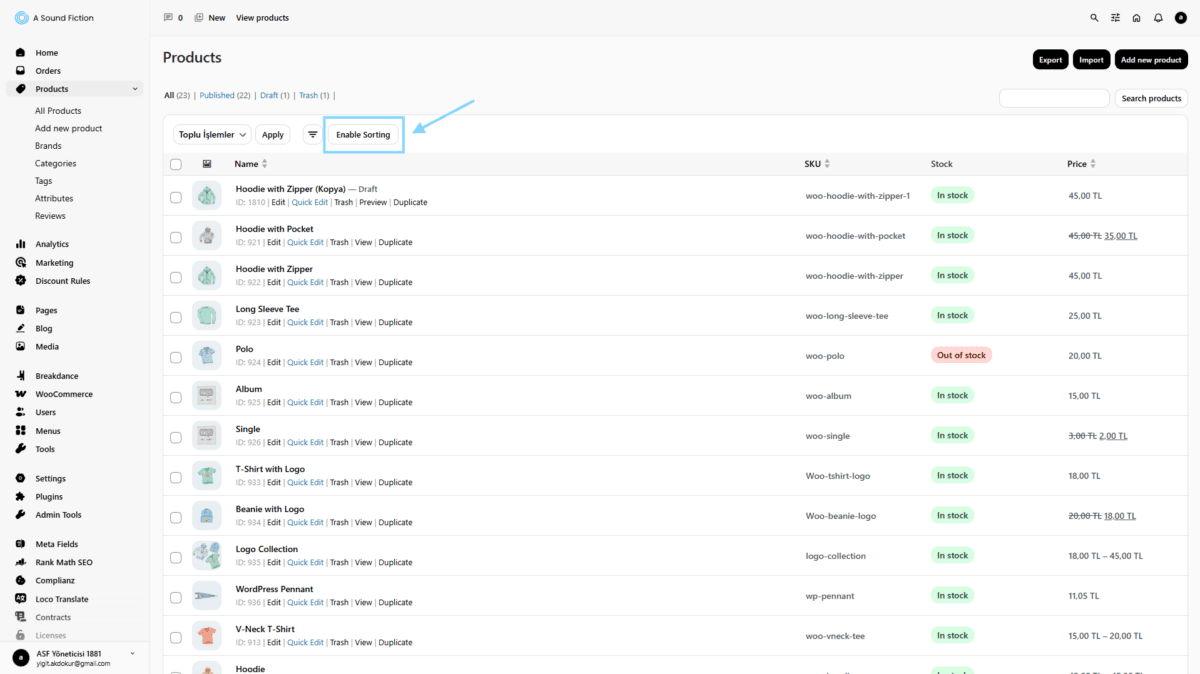
Every list screen in the panel (products, orders, pages, posts, media, users) now shares a unified, modern toolbar. A single Search & Filter button opens a focused panel that brings the search box and all filter controls together in one place, replacing the scattered controls of the past. Status filters (All, Published, Draft, order statuses, and so on) have been transformed into sleek, scrollable pill tabs with clear counts, making it effortless to switch views even on long lists.
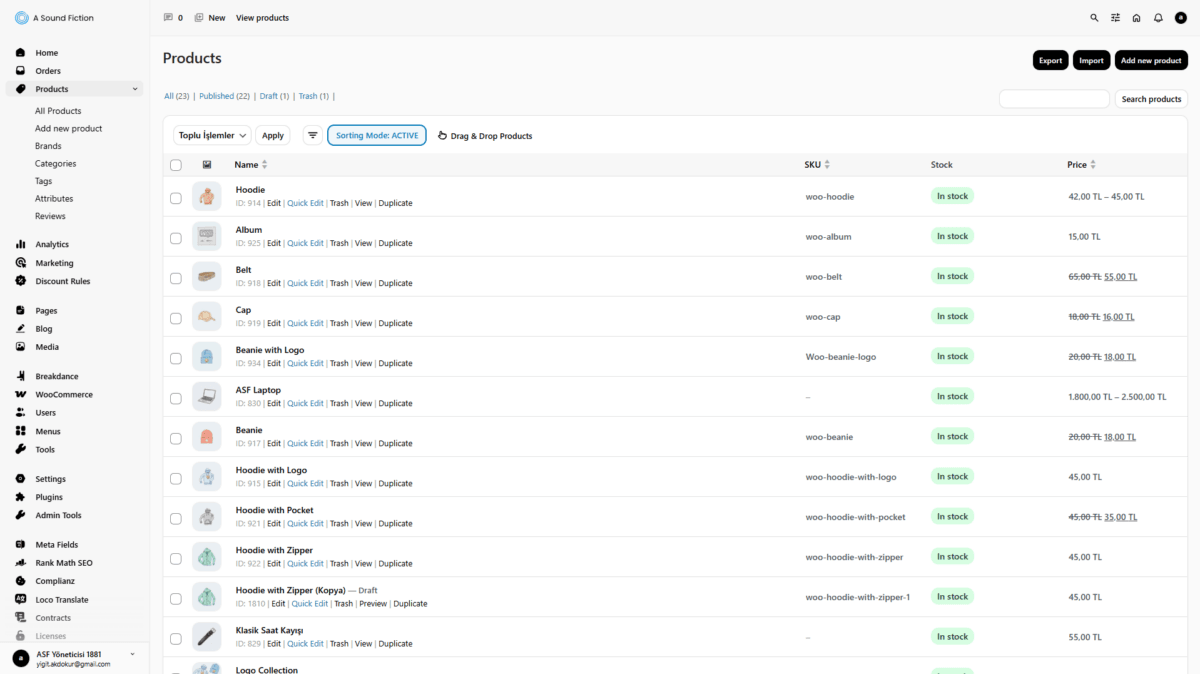
Each row now includes a tidy actions menu, keeping your lists clean while keeping every action one click away. Column visibility is managed through a refined preferences modal, so you can shape every list to show exactly the information you care about. And the familiar drag-and-drop Product Sorting Mode is now fully integrated into this new toolbar: one click to enter sorting mode, drag your products into place, and your storefront updates in real time.
8. Brand Settings in One Place
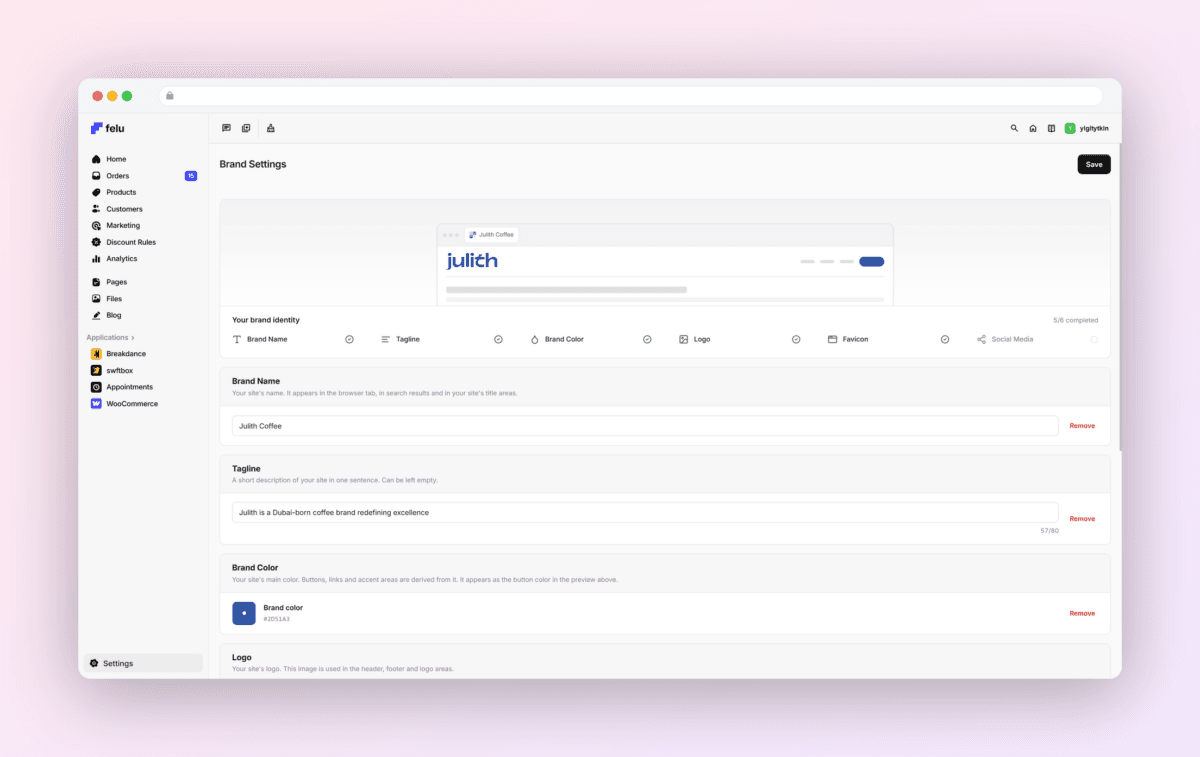
A new Brand Settings page gathers your site’s identity into a single, simple screen: site title, tagline, logo, favicon, and your social media links. Update your brand in seconds without hunting through scattered configuration pages, and your changes flow everywhere they need to go, including your site design.
9. A Better Mobile Experience, With More on the Way
Mobile has received real attention in 3.1. On phones and tablets, page actions now collapse into a tidy “more actions” menu beside the title, status tabs scroll smoothly with elegant edge fading, the search and filter panel adapts to small screens, and many modals, lists, and forms have been tuned for touch. Managing your store from your phone is noticeably more comfortable than before.
That said, we’re not done. Mobile is an area we’re actively improving, and upcoming releases will continue to refine layouts, interactions, and coverage across more screens, so the experience on the go keeps getting closer to the one on your desktop.
Felu Panel 3.1 embodies our vision of what a professional management experience should be: fast, secure, focused, and beautiful. The familiar workflows you know are all here. They simply work better, look better, and get out of your way so you can focus on running your business.
Welcome to the new Felu.