Search Documents...
Looking for technical expertise?

Section 17 – Logs

Logs allow you to track activities performed in the admin panel (such as user logins, content and product updates, and settings changes).

17.1 – Events

All activities such as user logins, content updates, plugin changes, etc. are listed here.
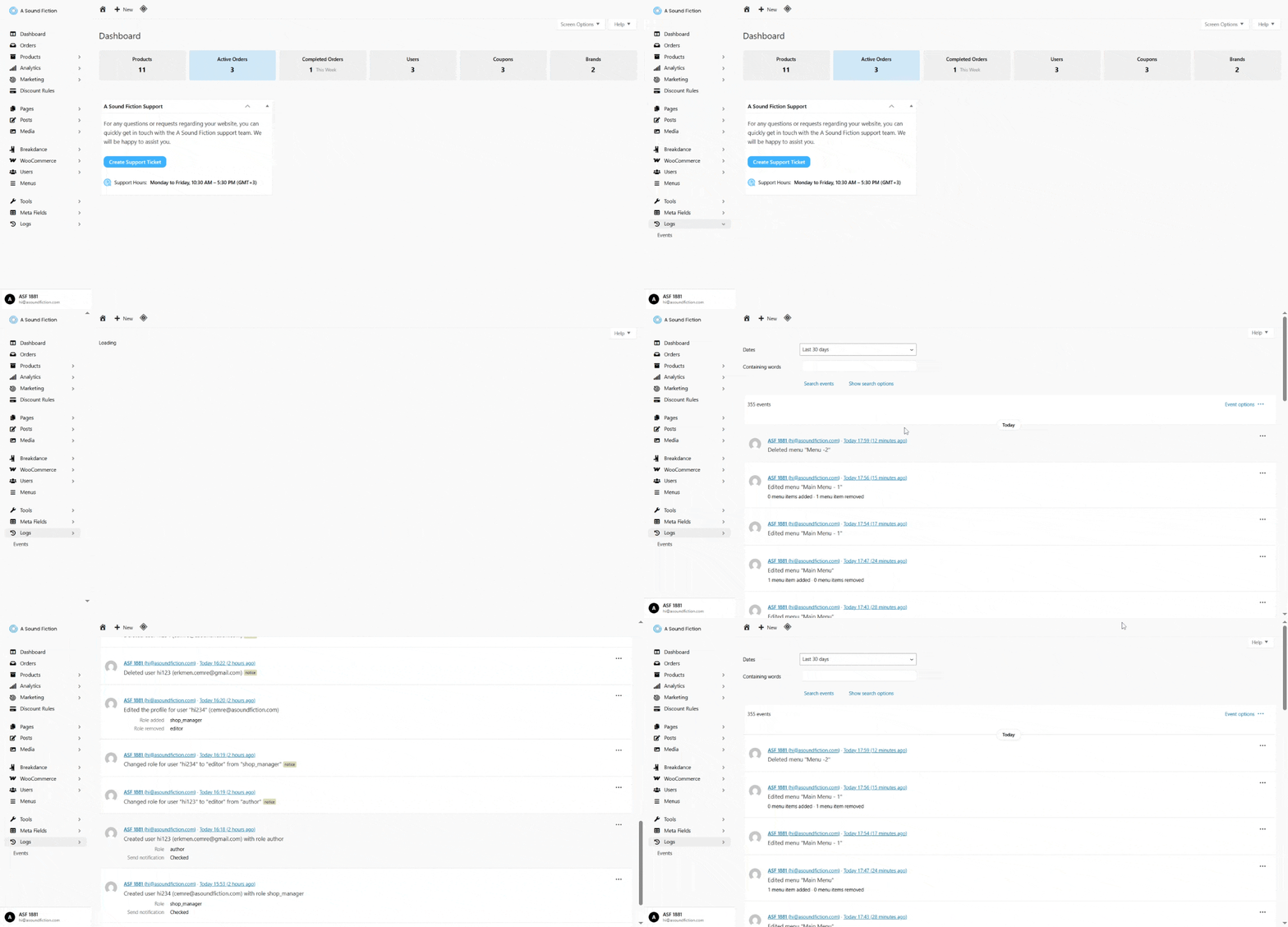
  • From the left menu, click System Logs > Events.
Section 17 Log Events

17.1.1 – Filtering

You can use filtering options to find a specific action among the event logs:
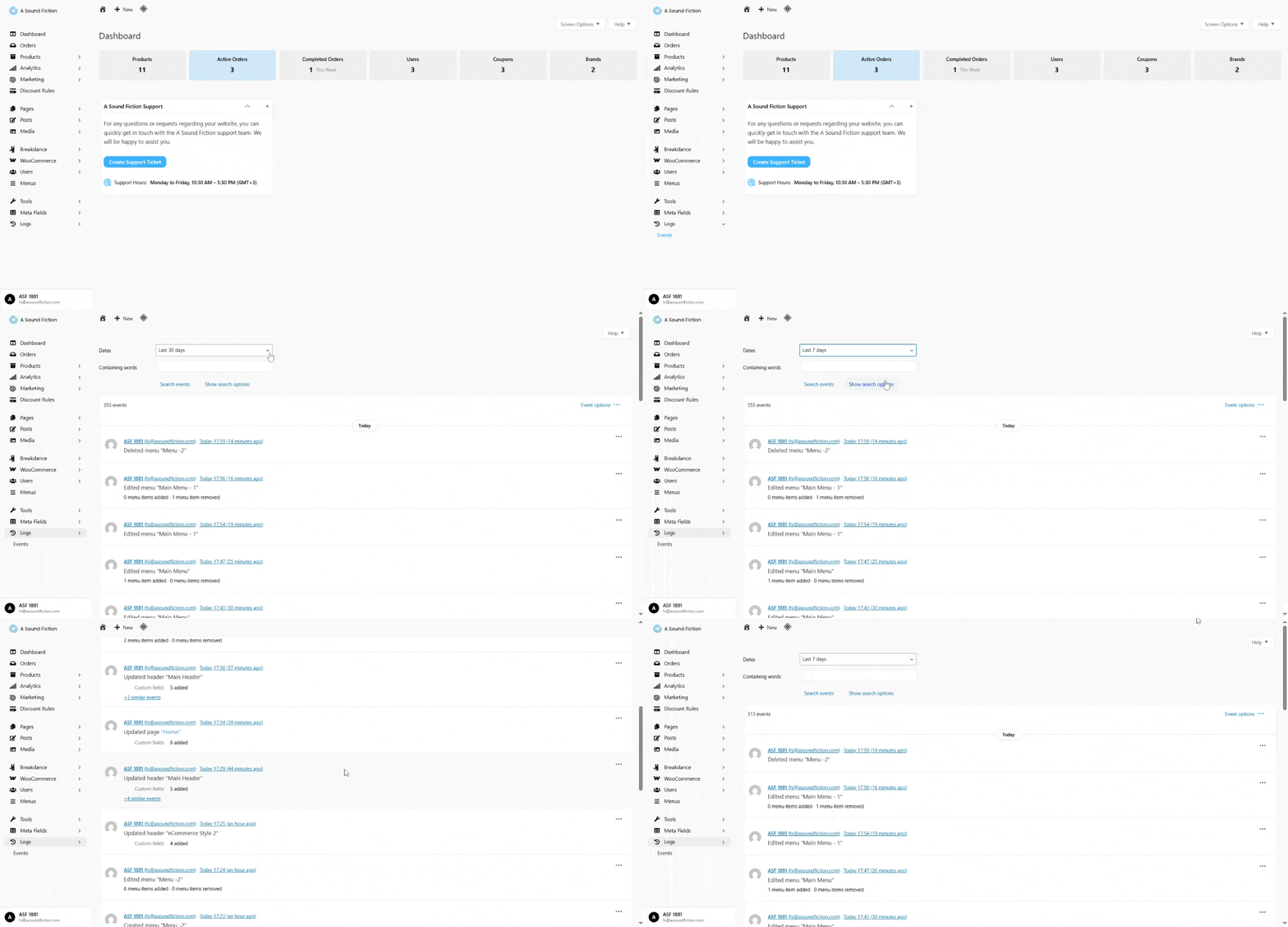
  • Dates: List events within a specific date range.
Section 17 Logs Filtering by Dates
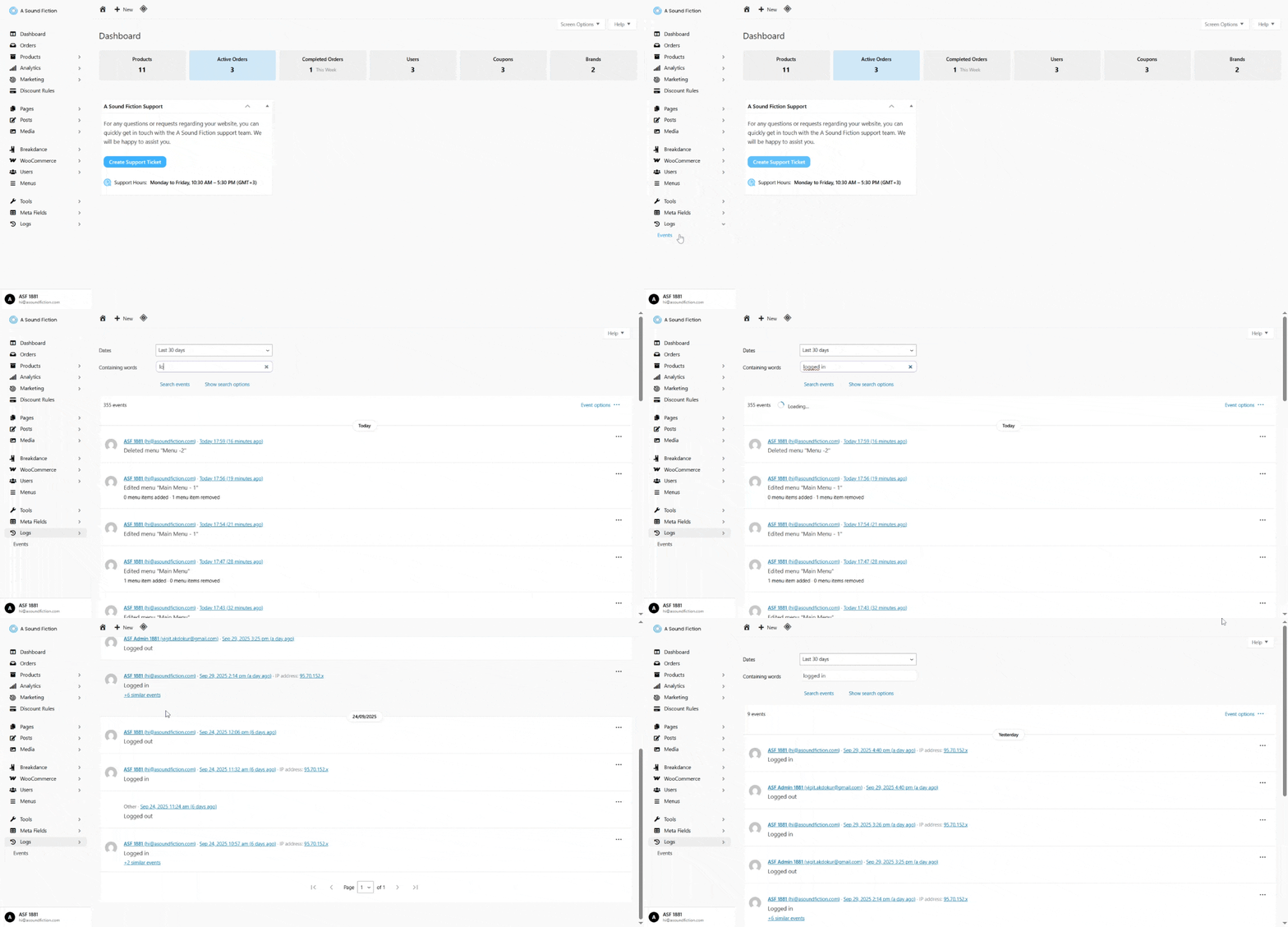
  • Containing words: Display events containing a specific word or phrase.
    • Example: If you type “Logged in”, only events that include the word “logged in” will be shown. This helps you quickly locate a specific action.
Section 17 Log Filtering by containing words
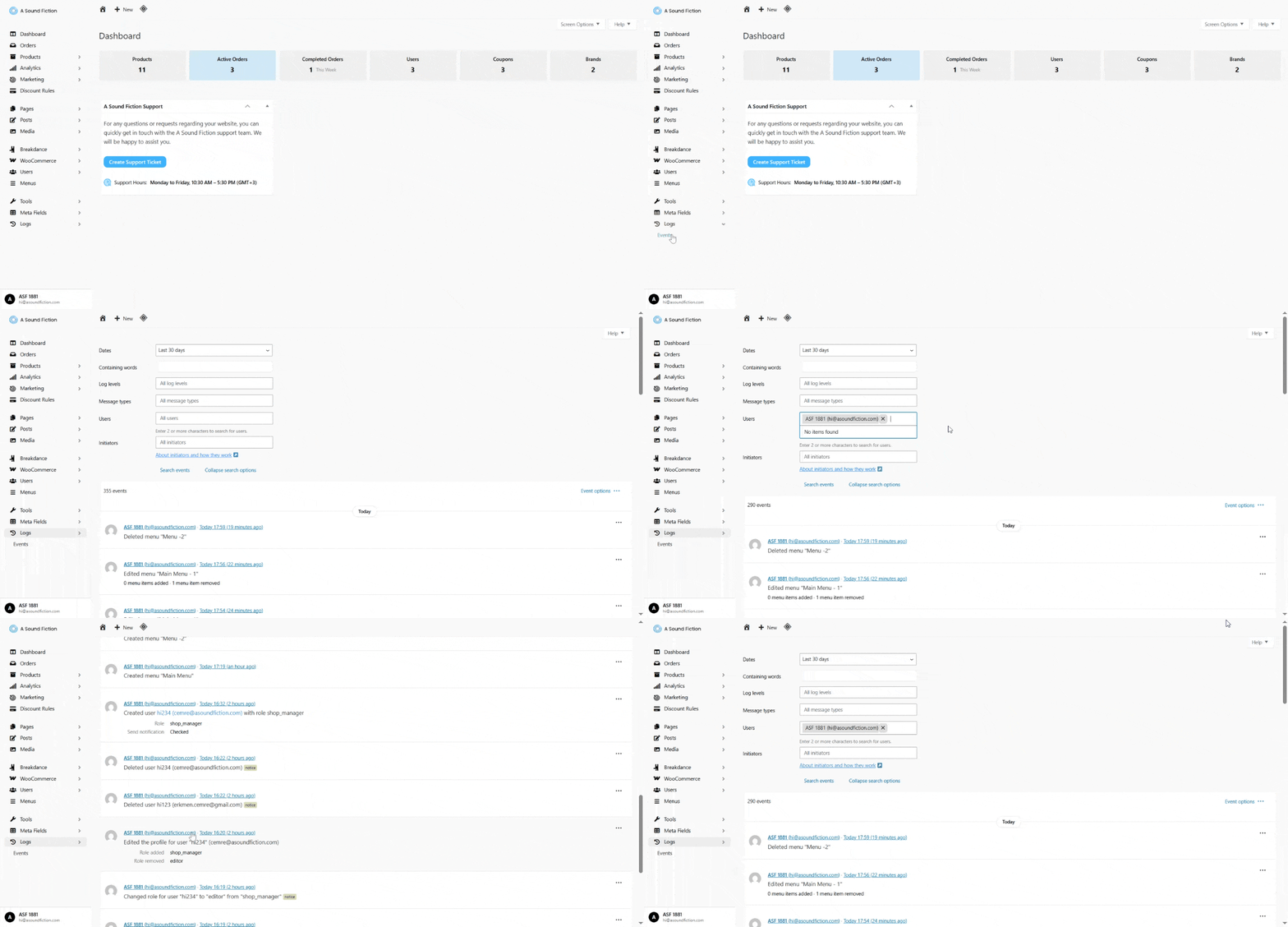
  • Show search options: Provides more advanced filtering options.
    • Users: View events performed by a specific user.
    • To filter by user: click Show search options > Users and select the user.
Section 17 Logs Filtering by users

Tip
Filtering helps you quickly find the records you are looking for and narrow down the event list.


Can't find the answers you're looking for? We're here to help.

İÇERİKLER

Copyright 2025 © A Sound Fiction ltd.
-
Disrupt 
today.
Dominate Tomorrow